The 5-Step Activity Book Publishing Workflow (Works With Any Tool)
A repeatable 5-step workflow for publishing activity and puzzle books on KDP: pick a niche, generate solvable interiors, design the cover, write the listing and quality-check before publishing.
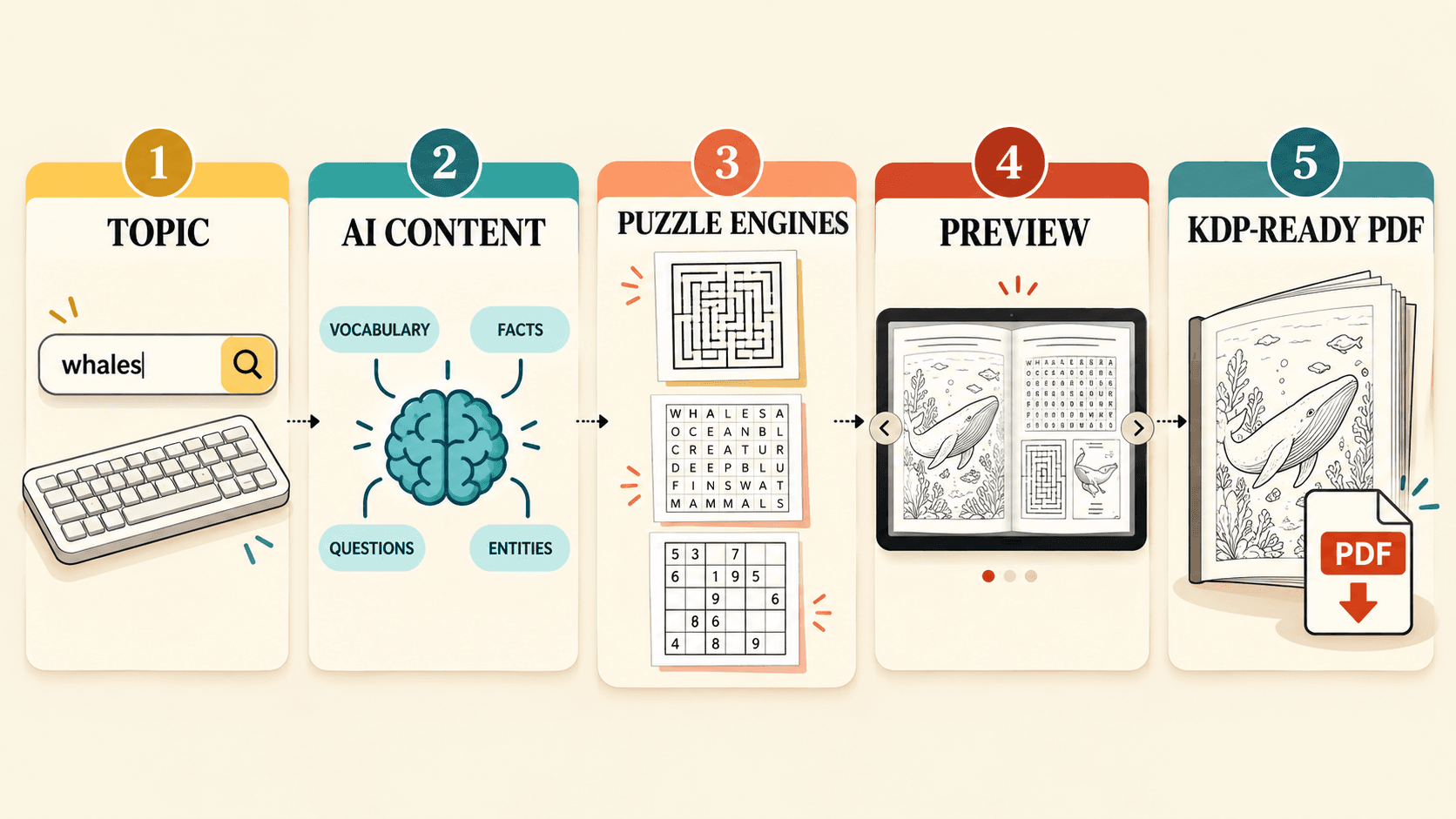
Activity books look simple, which is exactly why most self-published ones fail. The interior is easy to generate and hard to get correct, the cover decides the click, and the listing decides whether anyone ever sees it. A repeatable workflow keeps those four things from collapsing into “I made a PDF and hoped.”
This is a tool-agnostic workflow you can run with any generator, design app or by hand. It is the manual version of the process inside the PuzzlePress AI review — useful whether or not you buy a dedicated tool.
Step 1 — Pick the niche before you build anything
The most expensive mistake is generating a book nobody searches for. Decide the buyer first.
- Audience + topic + format. “Large-print Sudoku for seniors” is a niche. “Puzzle book” is not.
- Check real demand. Search the topic on Amazon and Etsy. Are there buyers (reviews, best-seller ranks) but room to differentiate? No results can mean no demand, not an open goal.
- Pick for timing. Seasonal themes reward being early; evergreen themes (dinosaurs, brain games, states and capitals) sell year-round. Keep a running list so you always have the next topic.
A generator makes the interior cheap, which means niche choice is where your real leverage is. Spend time here.
Step 2 — Generate solvable interiors with answer keys
In this niche, correctness is the product. A maze with no path or a word search missing a word earns refunds and one-star reviews faster than anything else.
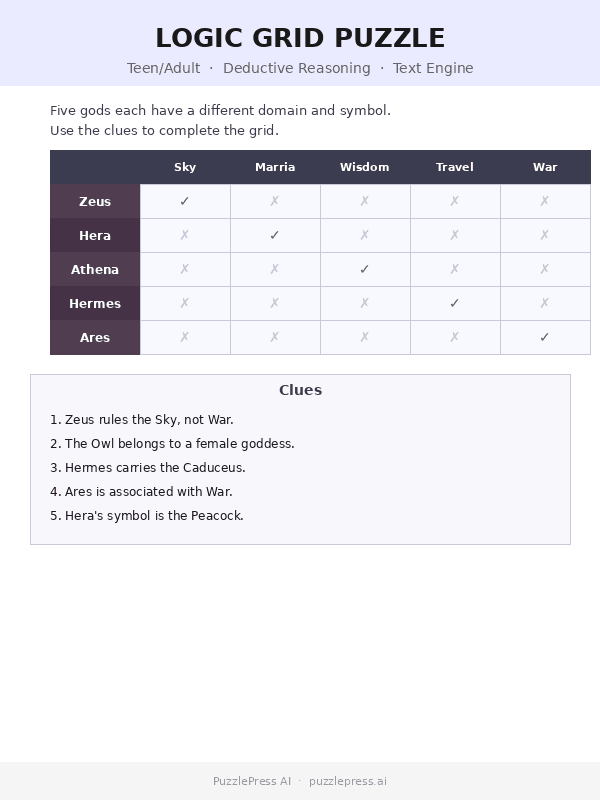
Whether you use procedural software or build by hand, hold two rules: every puzzle must be solvable, and every answer key must be generated from the same data as its puzzle (not retyped). If you draw puzzles manually, verify each one — this is the slow part that tools automate.
Step 3 — Design a cover that reads at thumbnail size
Buyers see your cover at the size of a postage stamp first. If the title and theme are not instantly clear there, the interior never gets a chance.
- Big, legible title. Readable at thumbnail, with the audience and format obvious.
- One clear theme image, not a collage. Match the palette to the audience (bright for kids, calm and high-contrast for large-print adults).
- Match the trim size of your interior PDF exactly, with correct bleed and spine width for the page count.
Step 4 — Write a listing that actually gets found
A correct book with a weak listing is invisible. The metadata is the half of publishing the generator does not do for you.
- Title + subtitle that read naturally but carry the main search terms:
[Topic] Activity Book for [Audience]+ a subtitle naming the puzzle types and “with answer keys.” - Use all seven KDP keyword slots. Mix broad and specific; don’t repeat words already in the title.
- Description with a hook, a bulleted “inside you’ll find,” and the practical details (page count, trim, difficulty). Avoid banned claims — no “bestseller,” no competitor names.
Step 5 — Quality-check, then publish honestly
The gate between “generated” and “published” is what protects your account and your reviews.
- Spot-check the interior: open three random pages and solve them against the answer keys.
- Proof the file in KDP’s previewer; check margins, bleed and that solutions don’t show through.
- Answer the AI-content question honestly when KDP asks. Policies on computed vs. generated content change — read the current KDP guidelines rather than relying on any vendor’s summary.
Only after that gate do you hit publish. A boring checklist here is what keeps a scaled catalog from turning into a wall of refunds.
Putting it together
These five steps are the same backbone whether you run them by hand or with a dedicated tool:
- Pick the niche before you build anything.
- Generate solvable interiors with answer keys.
- Design a cover that reads at thumbnail size.
- Write a listing that actually gets found.
- Quality-check, then publish honestly.
If you would rather automate the slow middle — generating correct interiors across several audiences from one topic — our PuzzlePress AI review walks through how the tool maps onto these same five steps. Buyers through our link also qualify for a free Bonus Kit with listing templates, a seasonal calendar and 50 topic prompts.
WANT THE GUIDED VERSION?
Automate the slow middle of this workflow.
PuzzlePress AI turns a typed topic into solvable, print-ready activity books with answer keys across six audiences.
Check the live package, launch window and checkout terms before ordering.
See the live offer Qualifies for our free Bonus Kit Affiliate link · Disclosure