Academy › Automation Marketing with Claude › Lesson 6
Connect the marketing stack safely
Map the tools around one workflow, choose the least risky connection and test permissions before use. · 8 min read
The best automation usually connects only the few tools needed for one repeatable job. Start with the workflow and its data, then choose how Claude should receive that context. A connected account can make work faster, but it also changes what information a tool can access or modify.
What you will build
A one-page map for a single workflow, including the source of truth, handoffs, permissions and a manual fallback.
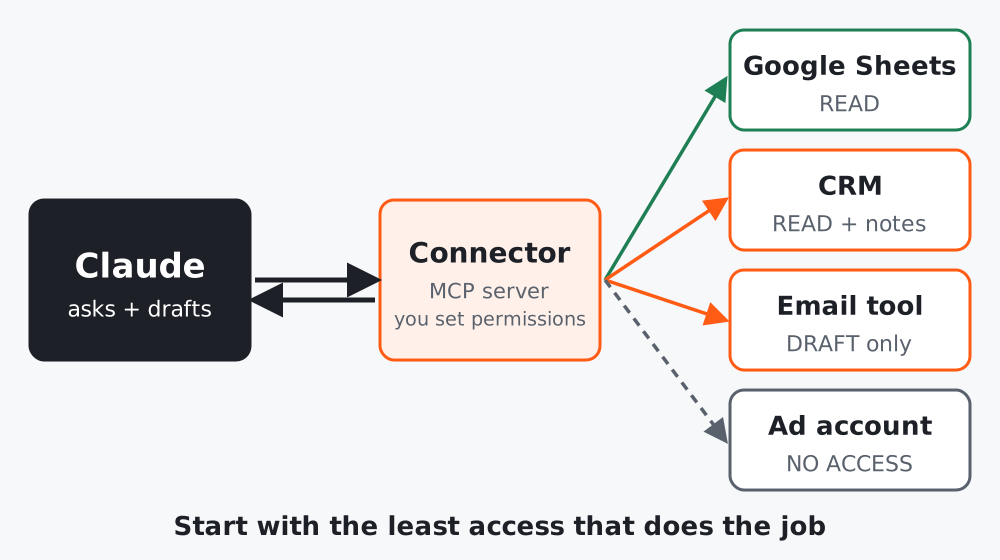 Figure 1. Keep one clearly named source of truth and put a person at the decision point.
Step 1: Pick one workflow
Choose a low-risk job from your audit, such as turning approved product notes into a draft email. Write down the trigger, inputs, output, reviewer and destination. Do not start with a broad request like “connect all my marketing tools.”
Step 2: Choose the smallest connection
Use this order:
- Manual paste: best for sensitive, occasional or early-stage workflows.
- Project knowledge: useful when a stable reference file or instructions should be available across related chats. Check current plan availability in Anthropic’s Projects guide.
- A connector: useful when the workflow needs current information or an action in another service. Anthropic explains its connector options and setup in Connect your tools.
- A custom integration: only when you have a clear owner, access policy and maintenance plan. Review the remote MCP security considerations before connecting a custom server.
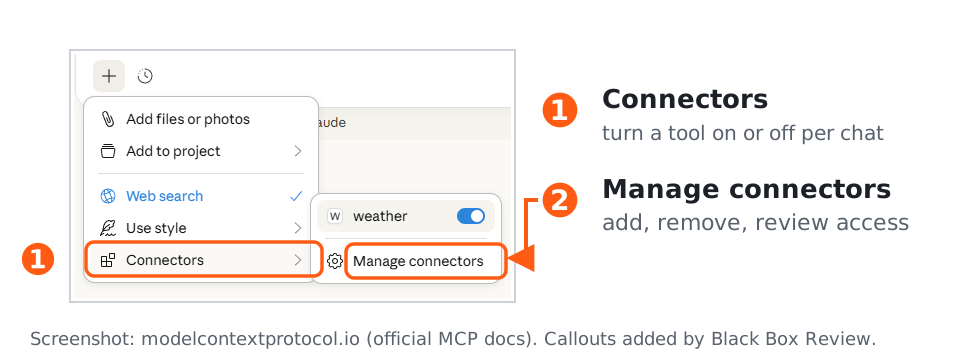 Figure 2. Select the lightest option that can complete the job.
Step 3: Write an access contract
Before connecting, fill in this short contract:
Workflow: [one job]
Source of truth: [file or system]
Claude may read: [specific folders, records or fields]
Claude may create: [drafts or proposed updates]
Claude may not: [send, publish, delete, approve, change billing]
Human approval required before: [external action]
Owner and review date: [person / date]
Fallback if the connection fails: [manual steps]
Start with read access or draft creation where possible. Avoid giving a workflow access to unrelated customer data. Never place passwords, API keys or private customer details in a prompt or shared reference file.
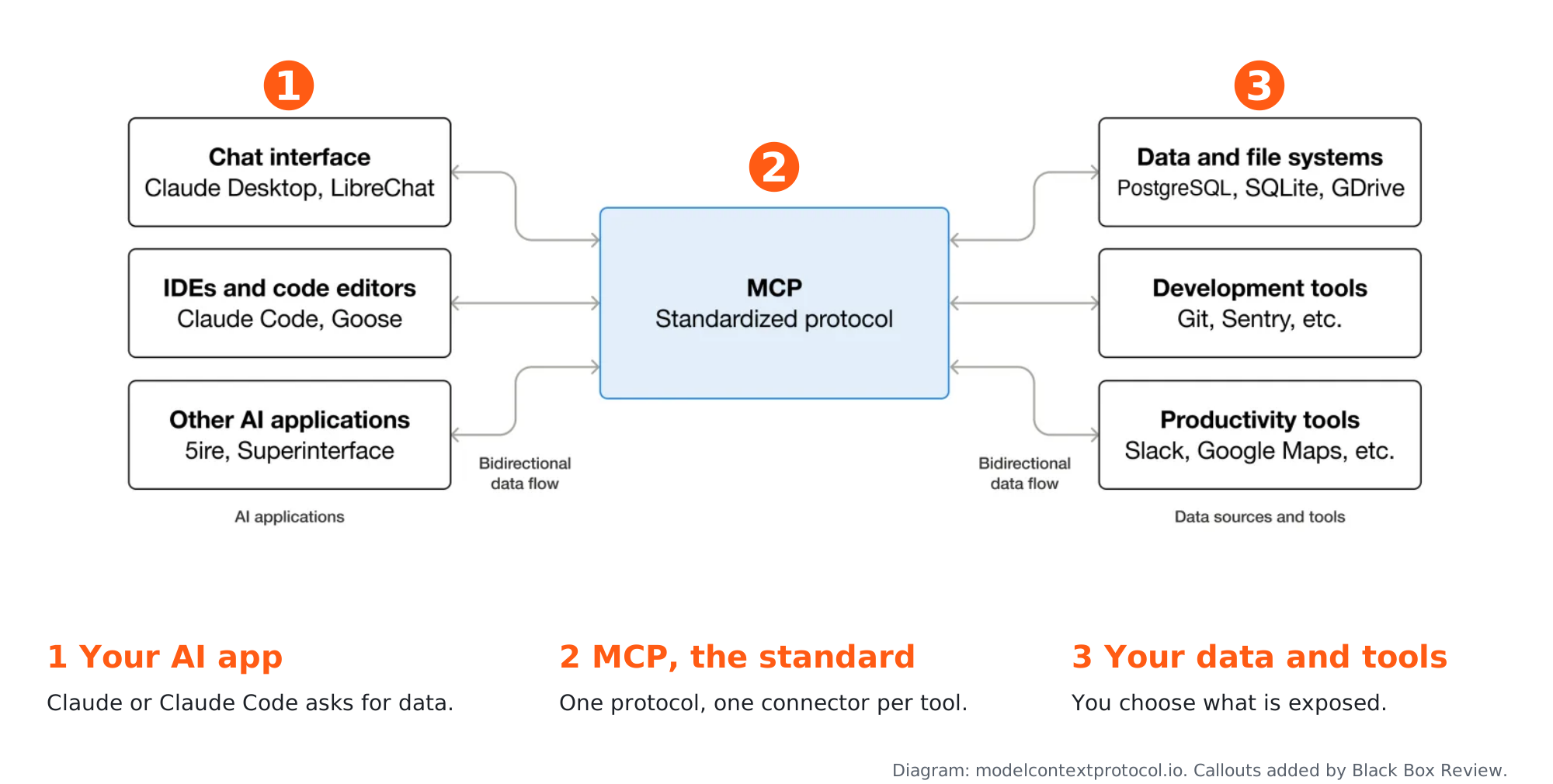 Figure 3. Access should match the smallest job, with publishing behind an approval gate.
Step 4: Test with harmless data
Use a made-up record first. Ask Claude to identify exactly what source it used, what it proposes to change, and what it cannot verify. Confirm the result in the connected service. If a connector can take actions, test the narrowest reversible action before expanding access.
Checklist
- One workflow has a named owner and source of truth
- Access is limited to the required data and actions
- A human approval step protects sending, publishing and deletion
- A manual fallback is documented
- A harmless test succeeded