Academy › Vibe Coding for Non-Developers › Lesson 1
What vibe coding is (and is not)
Understand the three ways people build with AI, decide whether your idea fits, and set the four rules that keep you out of trouble. · 7 min read
“Vibe coding” is a phrase Andrej Karpathy used in early 2025 for a way of working that was already spreading: you describe what you want, let the AI write the code, run it, and paste back whatever goes wrong. You barely read the code. You steer by results.
That works surprisingly well for small things. It also fails in predictable ways. This lesson shows you both so you can start with your eyes open.
What you will build
A one-paragraph description of your project and a yes-or-no answer to “is this a good first vibe-coding project?”
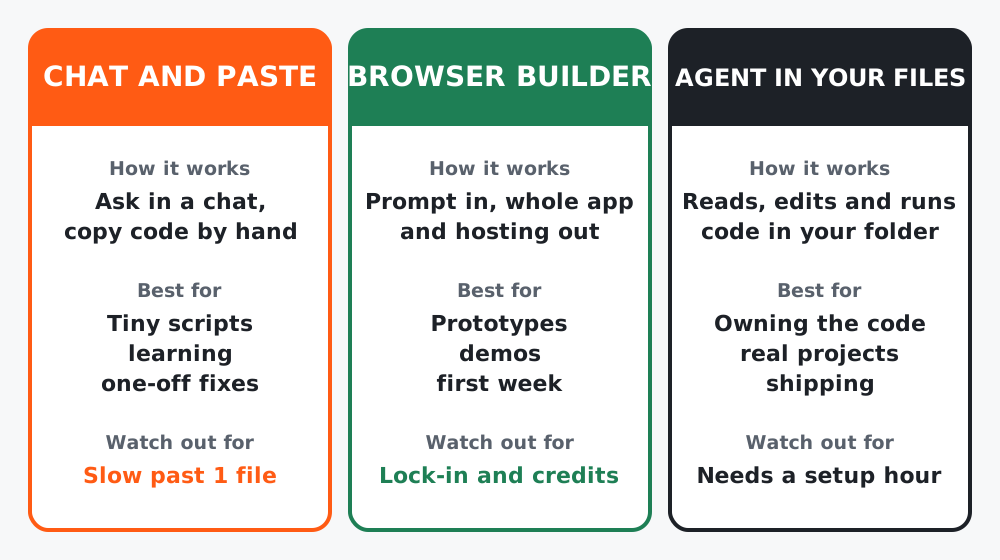 Figure 1. Same idea, three levels of help. Most people start on the left and end up on the right.
The three ways
| Way | How it works | Best for | Watch out for |
|---|---|---|---|
| Chat and paste | Ask Claude or ChatGPT, copy code into files yourself | Tiny scripts, learning, one-off fixes | Gets slow and error-prone past one file |
| Browser builder | Lovable, Bolt.new, v0, Replit: prompt in, whole app and hosting out | Prototypes, demos, your first week | Credits run out; check you can export the code |
| Agent in your files | Claude Code, Cursor, Windsurf, Copilot: reads, edits and runs code in your project folder | Projects you will keep and ship | Needs an hour of setup (lesson 3) |
This course is built around the third way, because it is the only one where you own the result. The prompts work in all three.
Step 1: Ask three questions about your idea
- Can you describe the finished thing in one paragraph? If you cannot, the AI cannot build it either. Write the paragraph first.
- Does it fit on a few screens? A landing page, a calculator, a form that saves to a sheet, a dashboard over one data source: good. A marketplace with payments and messaging: not a first project.
- What happens if it breaks for a day? If the answer is “mild embarrassment”, go ahead. If it is “lost money” or “leaked customer data”, read lesson 10 before you start, and plan to involve a developer.
Step 2: Good fits and poor fits
| Good first project | Poor first project |
|---|---|
| A waitlist page that saves emails | A full e-commerce store |
| A pricing or ROI calculator for your service | Anything that stores payment cards |
| A link-in-bio page you fully control | A mobile app for both app stores |
| An internal tool that reads one spreadsheet | A system other people’s jobs depend on |
| A personal dashboard over one API | A “clone of X” with every feature of X |
Step 3: Accept the four rules
- You own it. The AI is a very fast contractor with no memory and no liability. Everything it ships is yours.
- You cannot ship what you cannot describe. Vague prompts give vague apps. Lesson 4 is entirely about this.
- Small steps, always running. One feature at a time, and the app runs after every step. Lesson 5.
- Always have a way back. A checkpoint before every change, so a bad change costs minutes, not days. Lesson 8.
Worked example
A freelance copywriter wanted “a client portal”. The one-paragraph test failed: she could not say what the client would see on day one. She shrank it to “a page where a client picks a package, fills in a brief and I get an email”. That passed all three questions and became her course project. The portal can come later, on top of a working page.
Common mistakes
- Starting with the tool instead of the idea.
- Choosing a project where failure is expensive.
- Treating generated code as something you never need to look at. You will not read all of it, but you will read the summaries, the errors and anything touching money or personal data.
Checklist
- One-paragraph description written
- Three questions answered, and the answer to “what if it breaks” is acceptable
- Project fits in the good-fit column, or you have deliberately shrunk it until it does