Academy › Vibe Coding for Non-Developers › Lesson 3
Set up a workspace in an hour
Install the four things every project needs, create a project folder with a brief and a secrets file, and see the app run once. · 9 min read
Setup is the lesson most people want to skip and the one that saves the most time later. Done once, properly, it means every future project starts in five minutes.
What you will build
A project folder that runs an empty app in your browser, with a brief file and a safe place for secrets.
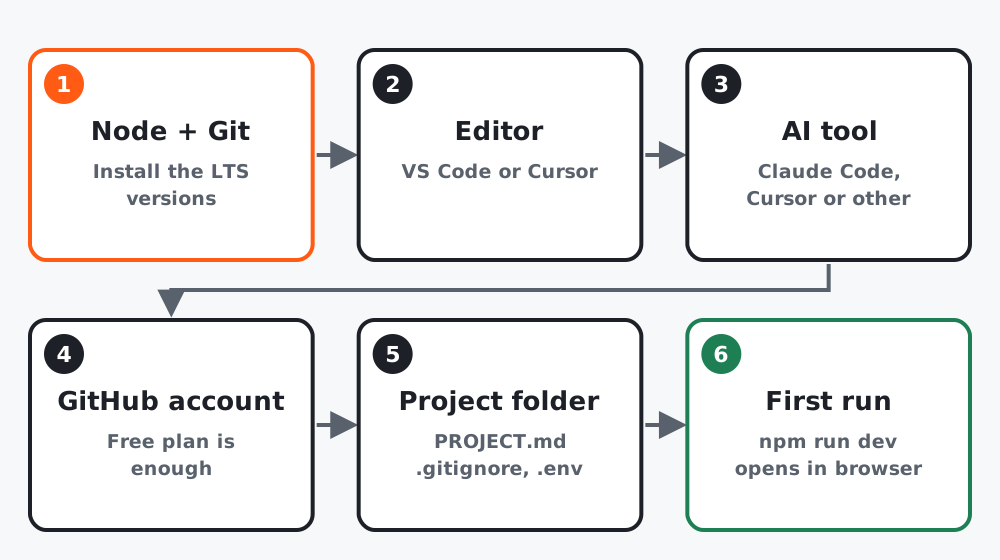 Figure 1. Six steps. The first run is the finish line.
Step 1: Install the basics
| Install | Why | Where |
|---|---|---|
| Node.js (LTS version) | Runs JavaScript projects and the npm package manager | nodejs.org |
| Git | Checkpoints and undo (lesson 8) | git-scm.com, or ships with Xcode tools on a Mac |
| An editor: VS Code or Cursor | Where you look at files and the terminal | code.visualstudio.com or cursor.com |
| Your AI tool from lesson 2 | Does the typing | Its own install page |
Open a terminal (in VS Code: View, then Terminal) and check:
node --version
git --version
Both should print a version number. If either says “command not found”, restart the terminal, then the computer, then reinstall.
Step 2: Five terminal commands you need
You will not become a terminal expert. You need five commands:
cd my-project      # go into a folder
ls                 # list what is here (dir on Windows)
npm install        # install the project's packages
npm run dev        # start the app locally
Ctrl+C             # stop it
Everything else, ask the AI to run for you.
Step 3: Create the project folder
Make a folder for the project and open it in your editor. Then give your AI tool this first prompt:
Set up a new project in this empty folder for a simple web app.
Use a mainstream, well-documented stack that a beginner can run with
"npm run dev". Create:
- a .gitignore that excludes node_modules and .env
- an empty .env.example with a comment explaining what goes in .env
- a README.md with how to install and run
- a PROJECT.md with the headings: Goal, User, Screens, Data,
  Must have, Nice to have, Out of scope, Done means
Do not add features yet. Start the dev server and tell me the URL.
If the tool asks which framework, say “whatever you recommend for a beginner, and tell me why in two sentences”. Astro, Next.js and plain Vite are all fine answers.
Step 4: See it run
Open the URL the tool gives you, usually something like http://localhost:3000 or http://localhost:4321. You should see a placeholder page. That is the whole goal of this lesson.
Step 5: Secrets go in one place
Any password, API key or token goes in a file called .env, which .gitignore keeps out of your checkpoints and off GitHub. .env.example lists the names without the values, so a future you or a developer knows what is needed.
Never paste a key into a prompt, a commit message or a file that is not .env.
Worked example
A coach on Windows got “npm is not recognized” after installing Node. Restarting the terminal fixed it: the installer had updated the system path but open terminals had not noticed. Total setup time including that hiccup: 50 minutes.
Common mistakes
- Installing a non-LTS “current” Node and hitting odd errors.
- Running
npm run devin the wrong folder. Alwayscdin first. - Putting a key in
.env.exampleinstead of.env.
Checklist
-
node --versionandgit --versionprint numbers - Project folder runs with
npm run devand opens in the browser -
.gitignore,.env.example,README.mdandPROJECT.mdexist