Academy › Vibe Coding for Non-Developers › Lesson 4
Write the brief before the code
Turn your idea into a one-page brief the AI can build from, let it interview you for gaps, and get a plan before any code is written. · 9 min read
Most vibe-coding failures are not coding failures. They are briefing failures: the AI built exactly what was asked, and what was asked was not the thing wanted. One page of writing prevents most of them.
What you will build
A completed PROJECT.md and a numbered build plan agreed with your AI tool.
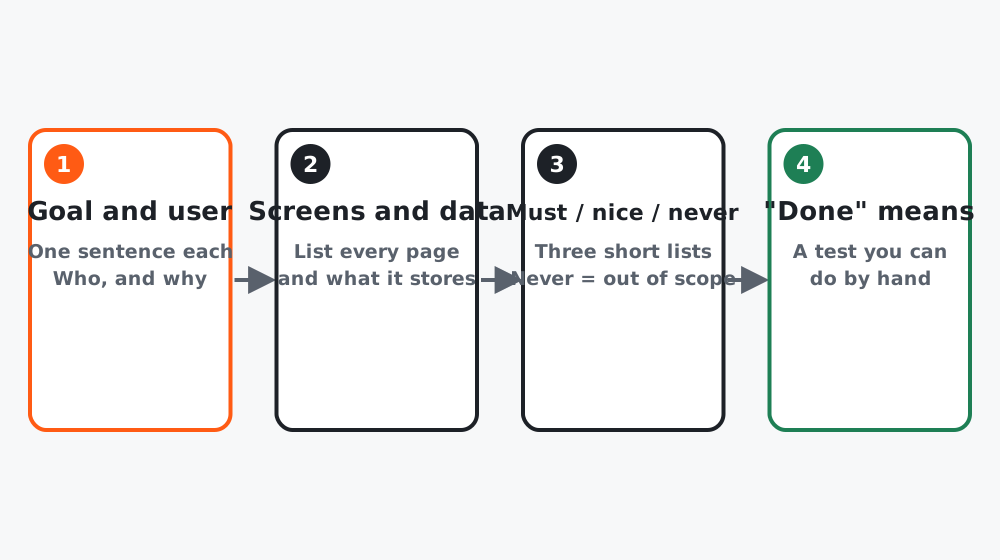 Figure 1. Four parts. The last one is the one people skip.
Step 1: Fill in the eight headings
Open PROJECT.md from lesson 3 and write under each heading. Short is fine. Specific is required.
# Goal
One sentence. What exists when this is done and why it matters.

# User
Who uses it, on what device, how often.

# Screens
List every page or view. One line each.

# Data
What is stored, where, and for how long. Who can see it.

# Must have
The 3 to 5 things without which this is pointless.

# Nice to have
Everything else you are tempted by. Parked, not deleted.

# Out of scope
What this will NOT do, so the AI stops suggesting it.

# Done means
A test you can do by hand, as a sentence.
“Done means” is the heading that changes everything. “A visitor on a phone can enter an email, see a thank-you message, and I can see that email in my sheet within a minute” is a brief. “A nice waitlist page” is a wish.
Step 2: Let the AI interview you
Before building, make the tool find the holes:
Read PROJECT.md. Do not write any code. Ask me up to 8 questions,
one at a time, about anything that is ambiguous, missing or risky.
Focus on data, edge cases and what happens when something fails.
After my answers, rewrite PROJECT.md with the gaps filled.
Answer honestly, including “I don’t know, choose the simplest option”.
Step 3: Get a plan, not code
Based on PROJECT.md, propose a build plan of 6 to 10 numbered steps.
Each step must leave the app running and show something I can check
in the browser. Step 1 is the ugliest possible end-to-end version.
No code yet. Tell me which steps need a third-party service or a key.
Read the plan. If a step is unclear to you, ask what it means. If a step needs a paid service, decide now. Then save the plan at the bottom of PROJECT.md.
Worked example
The course project brief, after the interview:
# Goal
A landing page for "Prompt Pack", a paid prompt bundle, that collects
emails from interested people before launch.
# User
Marketers arriving from a social post, mostly on phones, once.
# Screens
1. Landing page with headline, three benefits, email form.
2. Thank-you state (same page, replaces the form).
# Data
Email and timestamp, saved to a Google Sheet via a form endpoint.
Kept until launch, then deleted. Only I can see the sheet.
# Must have
Form that saves; works on phones; looks trustworthy; my domain.
# Nice to have
Countdown timer; social proof counter; dark mode.
# Out of scope
Payments; user accounts; a blog.
# Done means
On my phone I enter an email, see "You're on the list", and the row
appears in the sheet within a minute.
The interview surfaced two things the writer had not considered: what to show on a duplicate email, and that the form endpoint needs a key kept in .env.
Common mistakes
- Writing the brief for a reader who already knows the idea. The AI does not.
- Skipping “Out of scope”, then watching the AI add a login page nobody asked for.
- Accepting a plan whose first step is “set up the database schema”. Step 1 should show something on screen.
Checklist
- All eight headings filled in, with a hand-testable “Done means”
- AI interview done and brief rewritten
- Numbered plan saved, and any paid services decided