Academy › Vibe Coding for Non-Developers › Lesson 8
Git and GitHub as your undo button
Learn the five Git commands that give you checkpoints, backups and a way back, and put your project on GitHub so it can be deployed. · 8 min read
Git is the tool developers use to track changes. For you, it is simpler than that: it is the undo button that works across days, and the thing that makes deployment and handing off possible.
What you will build
Your project in a GitHub repository, with a checkpoint habit and a tested revert.
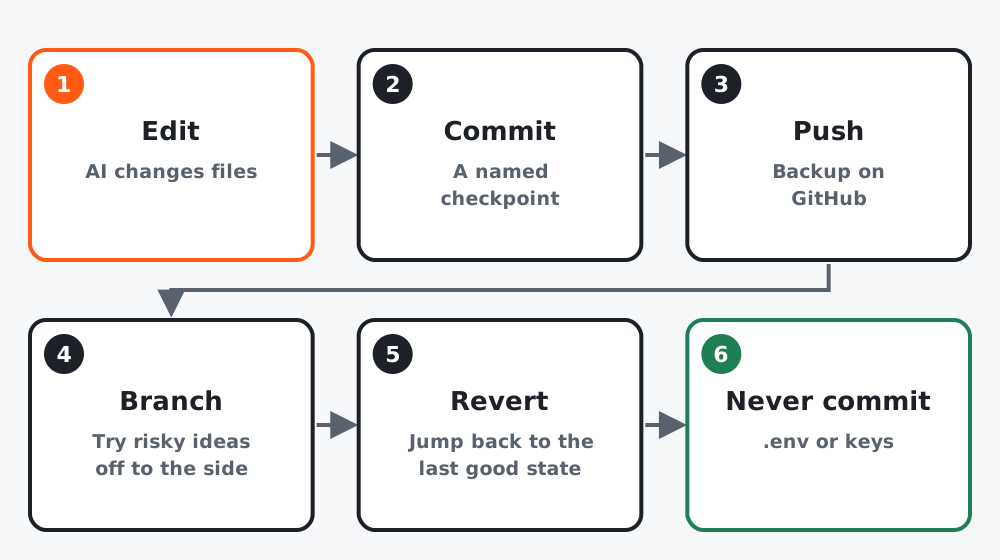 Figure 1. Six moves. You will use the first three every session.
Step 1: Five commands
git status                       # what has changed since the last checkpoint
git add -A                       # stage everything that changed
git commit -m "Add email form"   # make a checkpoint with a name
git push                         # copy checkpoints to GitHub (backup)
git log --oneline                # list your checkpoints
You can run these yourself or ask the tool: “commit this with a message describing the change”. Either way, read the message. It is your future self’s only clue.
Step 2: The two ways back
Undo everything since the last checkpoint:
git checkout .Go back to an older checkpoint (first find its short code with git log --oneline):
git revert <code>Try the first one now, on purpose: ask the tool to change the headline, confirm it changed, run git checkout ., confirm it is back. Knowing the undo works is what makes you brave in lesson 5’s loop.
Step 3: Put it on GitHub
- Create a free account at github.com and a new empty repository, private is fine.
- Ask the tool:
Connect this project to my new GitHub repository at [URL] and push
everything. Confirm that .env is ignored and not pushed.- Open the repository in your browser. You should see your files and your commit messages, and you should NOT see
.env.
Step 4: Branches for risky ideas
When you want to try something that might not work out, ask for a branch:
Create a branch called try-countdown and switch to it.Build on it. If it works, “merge try-countdown into main”. If not, “switch back to main and delete try-countdown”. The main version was never touched.
Step 5: What never goes in
.envand any file with a key, password or tokennode_modules(the installed packages; huge and reinstallable)- Customer data exports
If a secret ever gets committed, treat it as leaked: rotate the key at the service that issued it, then remove it from the history. Deleting the file in a later commit is not enough.
Worked example
Course project: repository created, first push done through the tool, .env confirmed absent on GitHub. A countdown timer was tried on a branch, looked cluttered on phones, branch deleted. Twenty minutes, and the main page never changed.
Common mistakes
- Committing once a day instead of after every working step.
- Messages like “fix” and “update”. Say what changed.
- Pushing
.envon the first push. Check before you push, not after. - Being afraid to revert because the current state “has good bits in it”. Commit the good bits first, then revert the rest.
Checklist
- A revert tested on purpose and confirmed
- Repository on GitHub with your commits visible
-
.envabsent from GitHub - One branch created and merged or deleted